How to play Friendly Odds
A party game for the family. Ask yes-or-no questions about the evening, put up favors on the answer, and see who called it.
Playing
1. Join the family
Open the invite link someone sent to the family chat.
Type your email. We email you a 6-digit code: type it in. If it doesn't arrive in a minute, look in your spam or junk folder.
Type the name everyone knows you by, like Grandma Pat. That's it: no password, nothing to install.
2. Read the questions
Each question is a yes-or-no about the evening, like "Will someone burn the rolls?"
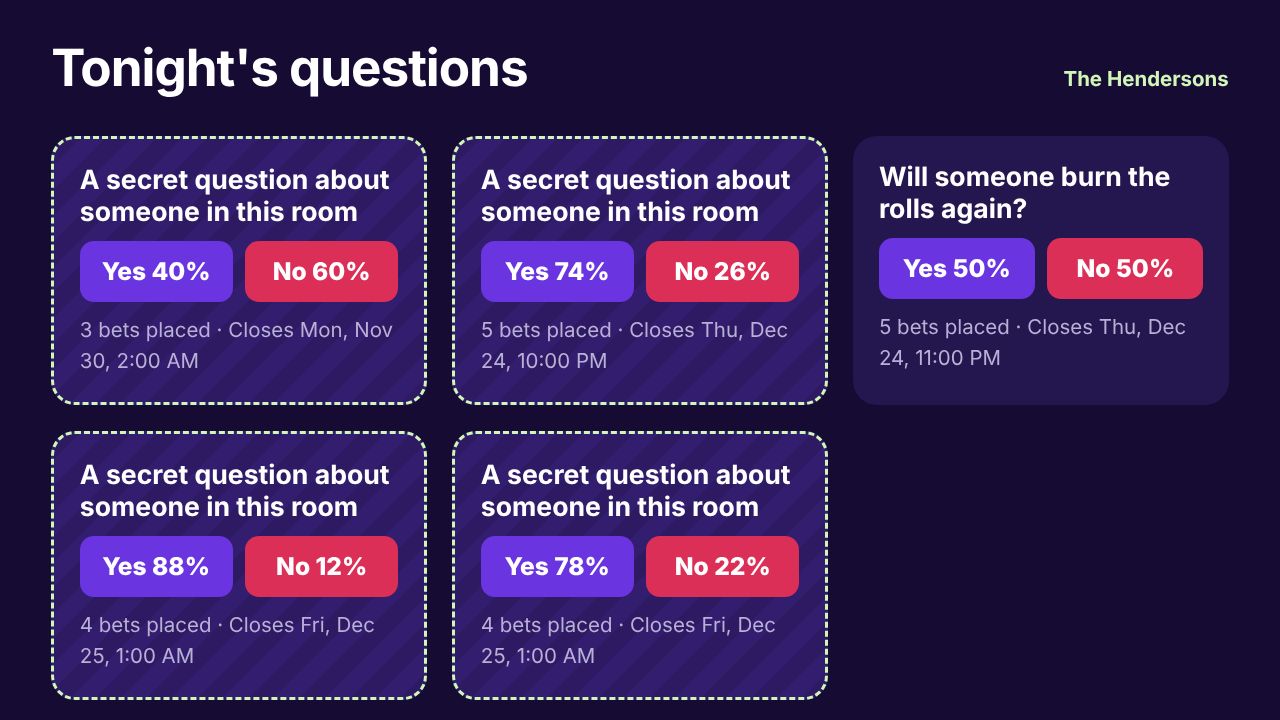
The purple and red bar shows the odds: how much the family has put on Yes and on No.
3. Bet favors, not money
Tap a question, then tap Yes or No.
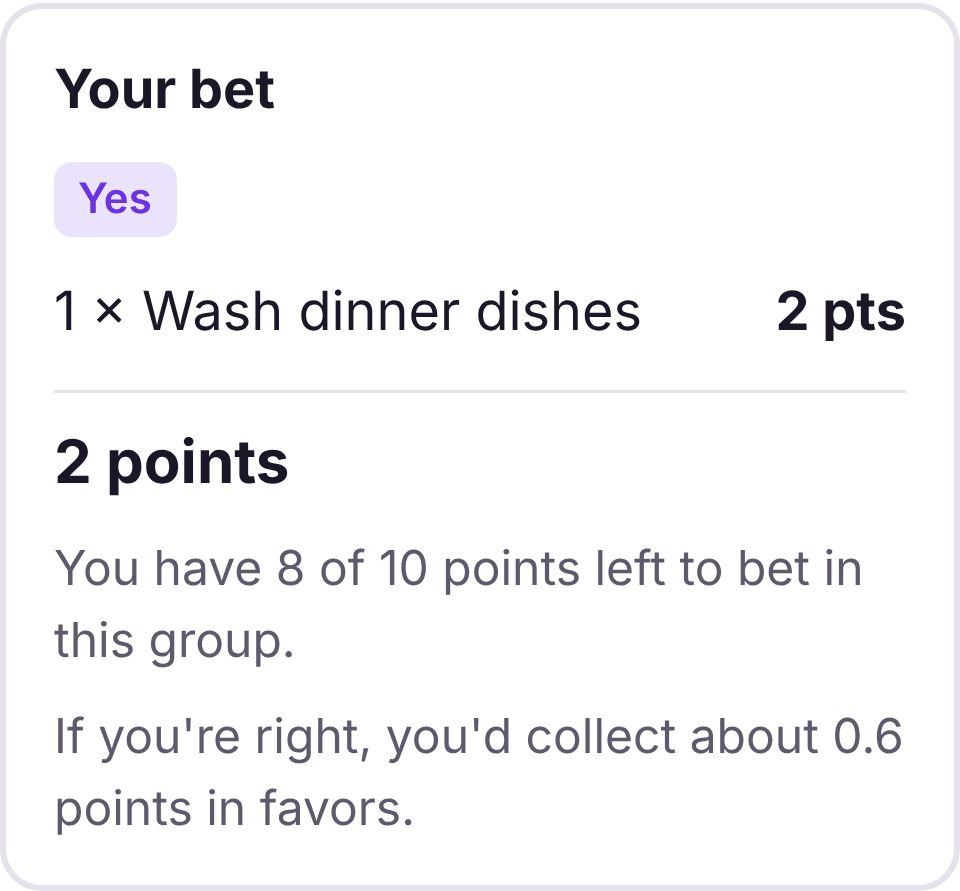
Tap + next to a favor to put it up, like washing the dishes (2 points). The box under the list shows exactly what you're betting.
Tap the purple button, check your bet, then tap "Yes, place my bet". Bets can't be taken back.
You have 10 points to bet in each group. They come back when your questions are settled. You can only bet on one side of a question.
4. Secret questions
If a question is about you, you won't see it at all: not the question, not the bets. That's the fun part.
On the TV it shows as "A secret question about someone in this room". You'll find out at the reveal.
5. The reveal
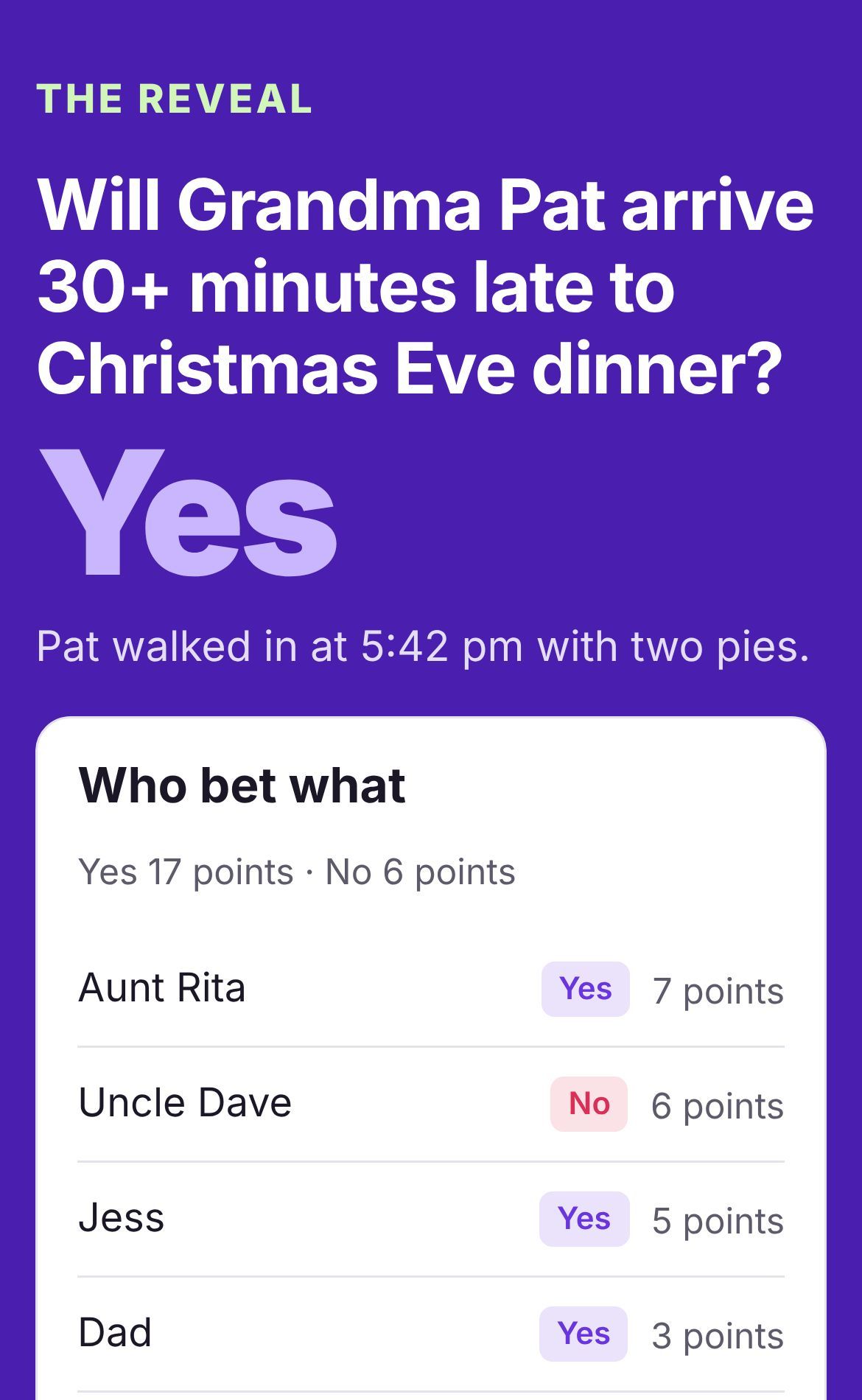
Each question has a referee who calls the answer. Soon after, it's revealed to everyone, often on the TV.
The reveal shows who bet what, and who owes whom which favor.
6. Do your favors
The Favors tab lists what you owe and what you're owed. Do them within 30 days, then tell each other.
Good to know
- The referee and the person a question is about can't bet on it.
- Some topics are off the table: health, bodies, pregnancy, money trouble and dating. Keep it to things everyone can laugh about later.
- Can't find a question someone mentioned? It might be about you.
Hosting the evening
For whoever runs the game. Ten minutes of setup before everyone arrives is plenty.
1. Start the group
Sign in at friendlyoddsgame.com and give your family a name. You're the group's admin.
In Settings, look over the favor menu. Add your family's own favors, like "Mow the lawn". Favors are effort, never money or things you buy.
2. Invite everyone
Tap "Share invite link" and send it to the family chat. Anyone with the link can join.
For relatives who'd rather read paper, print the table card from Settings and leave it out.
3. Put the TV board up
On a laptop connected to the TV, sign in and tap "Open the TV board". Make the browser full screen.
It updates by itself. Questions about someone show as mystery cards, so nobody in the room spots a question about them.
4. Open questions
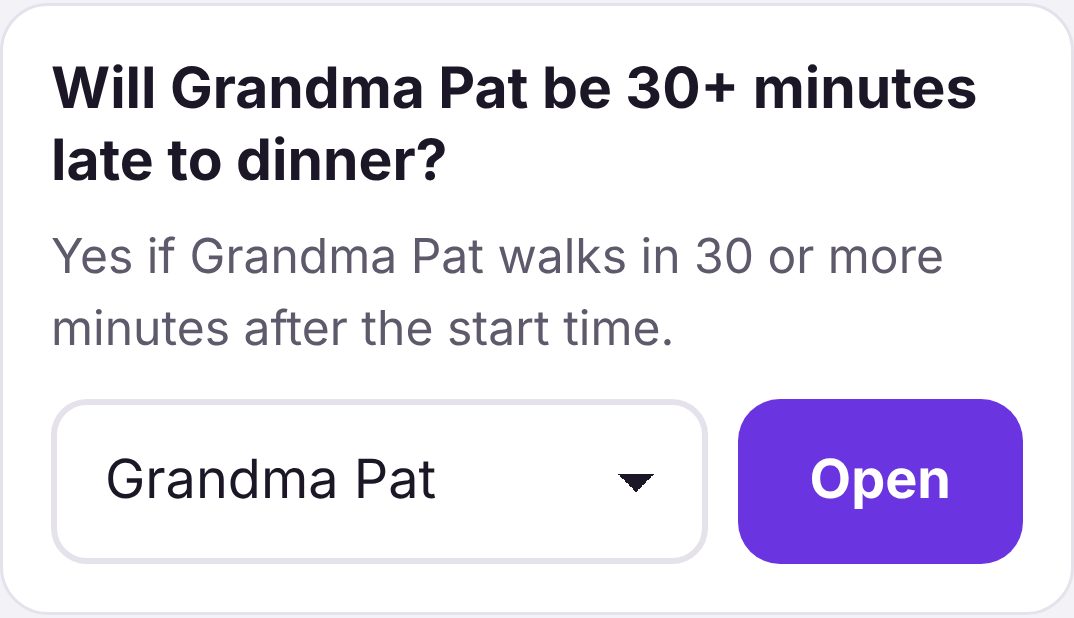
The Deck tab has ready-made Christmas Eve questions. Pick who a card is about, then tap Open.
Or tap "Ask a question" to write your own: say clearly what counts as Yes, and pick a referee.
You referee the cards you open, so you can't bet on those.
5. Call it, then reveal it
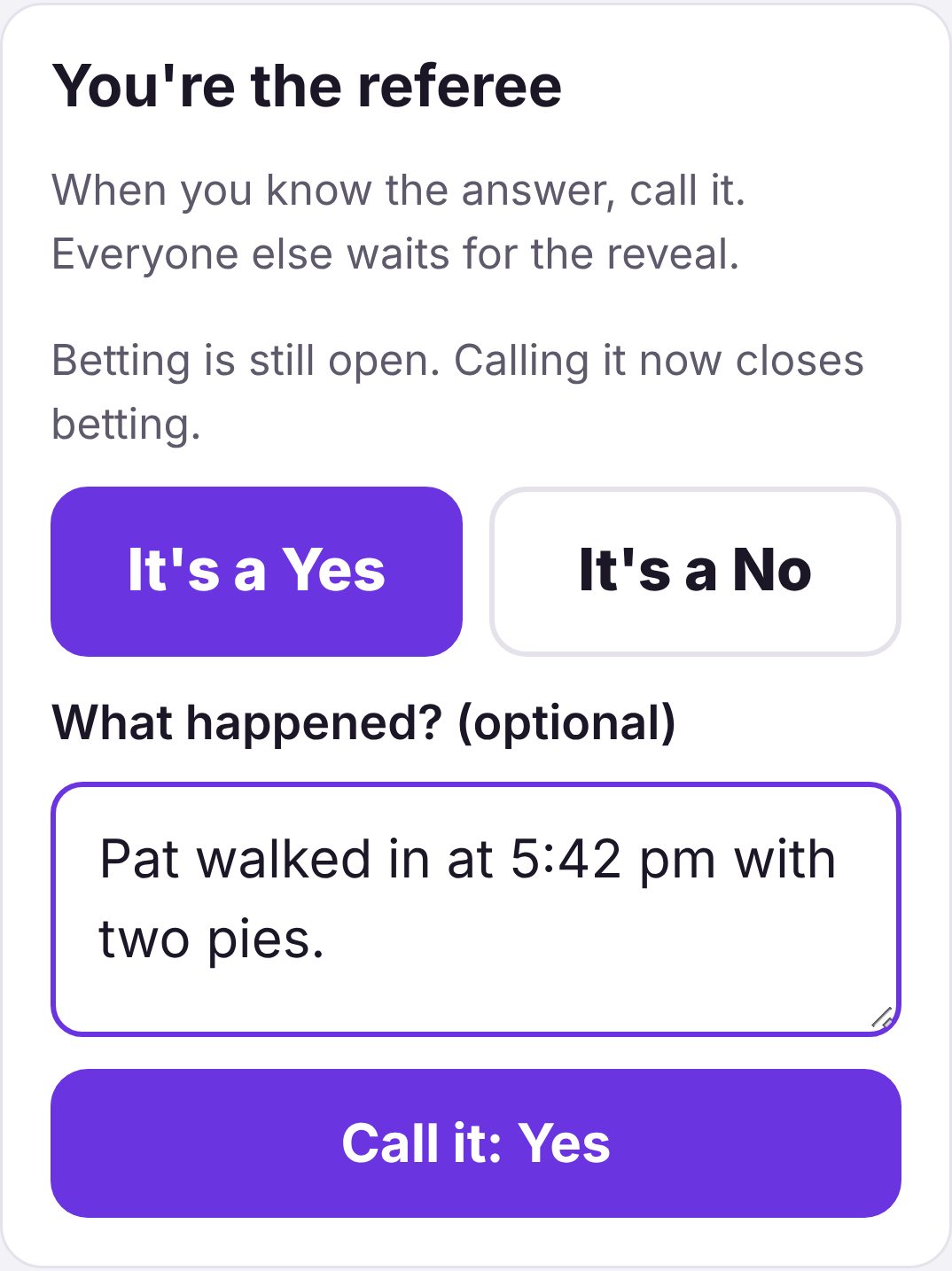
When you know the answer, open the question and tap "It's a Yes" or "It's a No". Add what happened if you like.
Then tap "Reveal now" for the big moment on the TV. If you don't, it reveals by itself after an hour.
6. If something goes wrong
For an hour after a question is called, the admin can change the answer or call the question off. Calling it off gives everyone their points back.
When people get stuck
- "My code didn't come." Look in spam or junk, wait a minute, then tap "Send a new code".
- "I can't bet." They may be the referee, the question may be about them, or they've used their 10 points.
- "Where's the question everyone's talking about?" It might be about them. That's the game.
How to play · Terms · Privacy